
Auto Exposure: Include Exposure Limits in the Inspection Cycle Budget
Basler auto exposure adjusts exposure time within configured limits; a high upper limit can reduce frame rate. Brightness statistics come from selected auto-function regions and need not match the final rendered appearance. Review acquisition quality and application timing together.
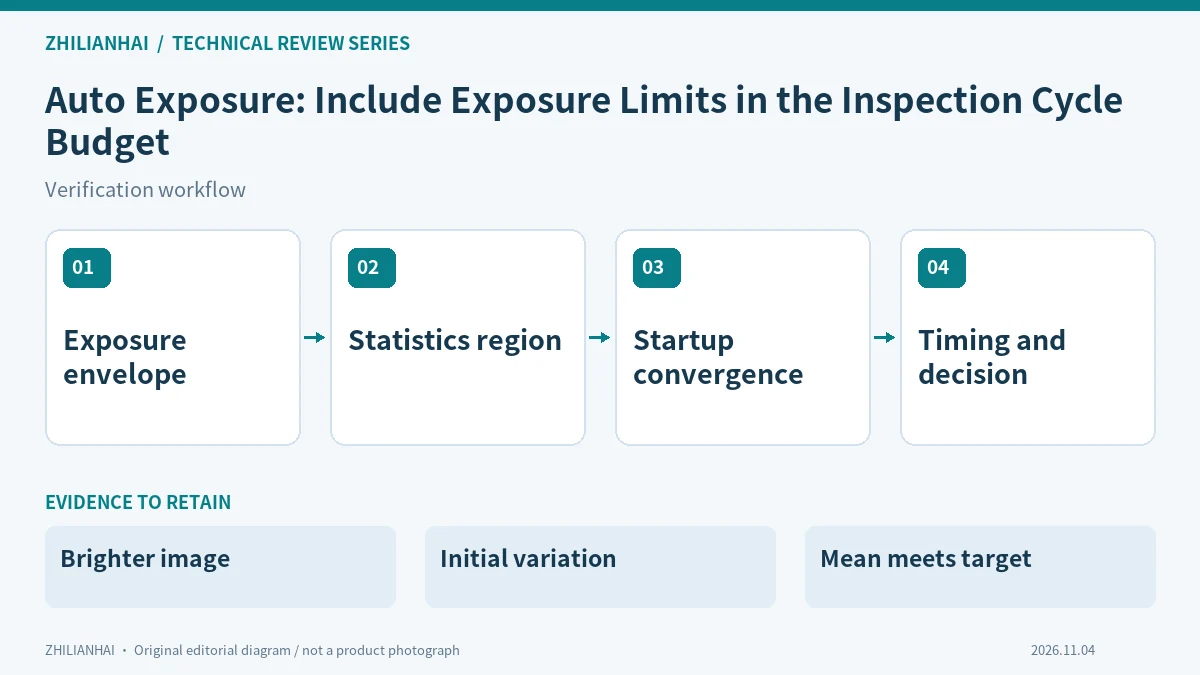
Set an application-specific exposure boundary
Define acceptable blur, relevant features and object motion before reviewing lower and upper limits. A sharp static sample does not establish moving-inspection performance. The auto function needs an agreed operating envelope rather than authority to choose any exposure that makes the picture brighter.
For this review, identify the delivered device, software and configuration revisions first. Record unsupported, disabled and untested capabilities separately. Evidence from another model is useful context, but cannot establish what the delivered combination actually provides. Keep the original input beside the settings used to interpret it.
Inspect the statistics region
Auto-function regions and the output image region are separate settings. Review their relationship using representative brightness changes. Determine whether background, glare or object position dominates the statistic; the desired inspection feature can remain poorly exposed even when an overall target is reached.
Retain the original input and the reason for the decision, rather than a successful screenshot alone. Change only the variables agreed for the comparison, and keep the before-and-after configuration. List conditions that were not exercised explicitly; they should not silently become part of the accepted operating range.
Observe initial frames and convergence
Document once and continuous operation separately, and retain actual exposure values for the initial frames. The documentation notes a response delay. Images selected after the display settles do not establish that startup frames already satisfied the inspection requirement.
Use the three illustrated observations as starting questions, rather than as diagnoses of an installation that has not been inspected. Check record completeness, units and identity before selecting the next observation. An unresolved result is more informative than a confident explanation assembled from missing fields or unrelated test runs.
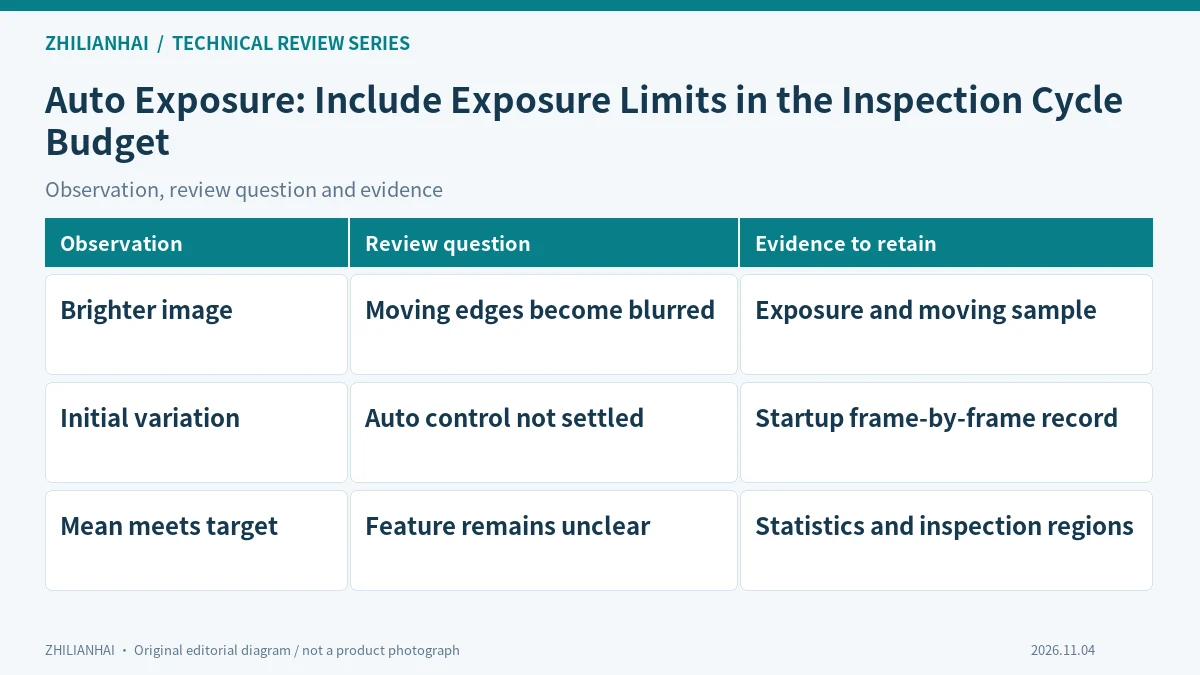
Separate exposure, gain and rendering
If automatic gain is also enabled, record how the two controls are balanced. The target statistic does not include every image optimisation. Distinguish exposure changes, gain changes and rendering effects so that a visual brightness comparison does not become the only explanation of acquisition behaviour.
Let the site owner choose an approved isolated way to exercise relevant exceptions. Record normal operation, the exceptional condition and recovery separately. The purpose is to establish how the application recognises and explains untrustworthy input, without requiring production equipment to act on deliberately invalid results.
Report brightness and timing together
For agreed lighting conditions, retain exposure, frame intervals, blur evidence and inspection decisions. Explain what happens when the exposure limit is reached before the brightness target. Identify the lighting or speed changes that require the operating envelope to be reviewed.
Deliver the configuration, representative samples, result table and unresolved questions together. Agree who reviews subsequent changes. The receiving team should be able to select one conclusion and trace it back to its input and decision path without relying on the original author to reconstruct the missing steps.
Original documentation and further reading
Continue with related articles in this section, or use selection guides to prepare the next review. Apply the device-specific documentation and agreed operating conditions when implementing a test.